Materials
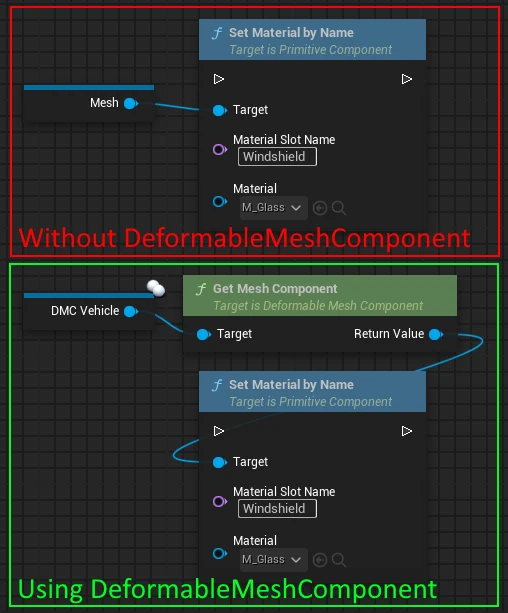
⚠ Instead of applying material changes to the original mesh component (e.g. the VehicleMesh for ChaosVehicle or the static mesh), you have to apply these changes to our mesh component instead! Otherwise the changes will have no effect on the visible (deformable) mesh. See this example:
Deformation in materials
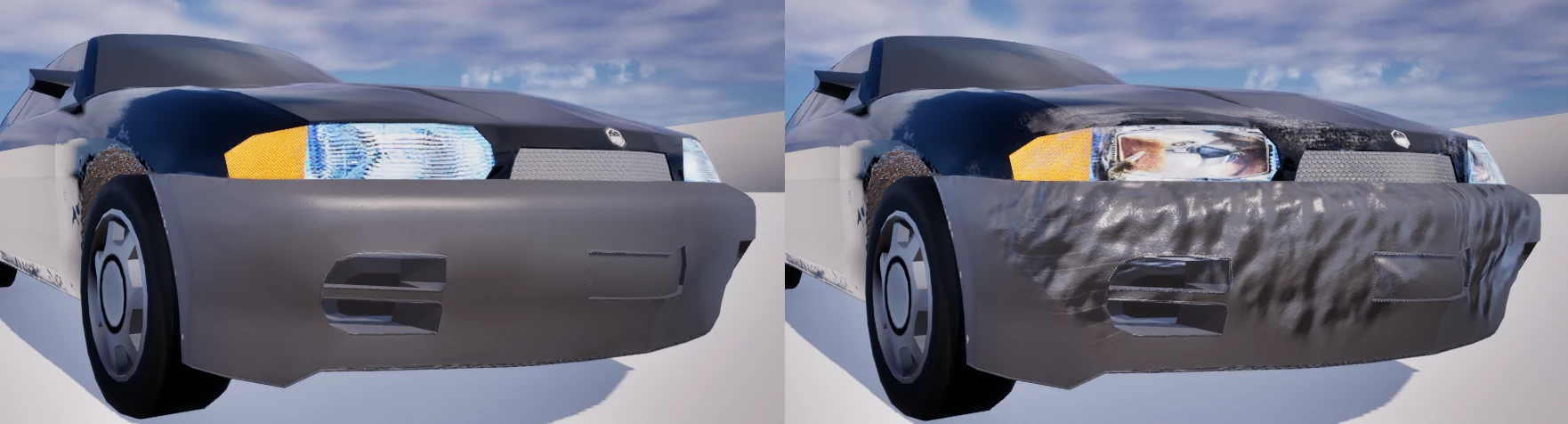
Geometric deformation works without a custom damage material, including in the GPU backend. Scratches and additional material effects need a material that reads the red vertex-color channel: 0 selects the original surface, and increasing red blends toward the damaged surface.
Runtime Material Changes
Use Get Mesh Component and the generic mesh material functions for all render backends. Apply dynamic material instances and parameter changes to this visible component, not the hidden source mesh. GPU material/proxy updates preserve the existing deformation state; changing a material is not a deformation reset.
Deformation Material Examples
You can access information about the deformation in your materials and enhance the visual deformation even more. See Deformation Material for more information.
Custom material functions
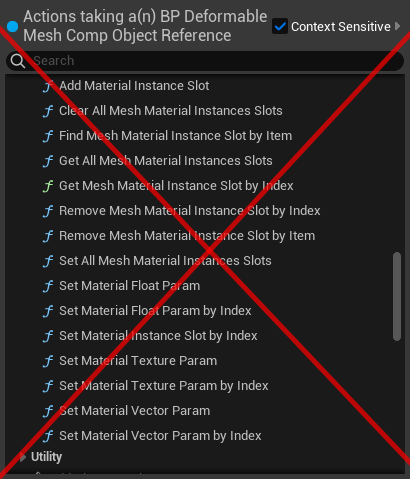
The custom material functions are deprecated and should not be used anymore. You can use the generic material functions provided by the mesh component. See above for an example.
These functions remain documented for older graphs. For new code and Blueprints, use Get Mesh Component and the generic material functions described above; direct access is available for the visible mesh.